By day I help engineering teams decide what’s next, what can wait, and when something is actually done. It turns out that’s most of what building an app takes, too.
By trade
Technical program manager. I’ve also been a product manager, product owner, project manager and scrum master.
Certified
PMP and Certified Scrum Product Owner (CSPO).
Education
MBA, Data Analytics, in progress at Bellevue University, expected Aug 2027. B.S., Management Information Systems, UNC Wilmington, 2010.
Service
U.S. Army National Guard, 2011–2017.
Based in
Charlotte, NC.
How I build
The same playbook, pointed at my own ideas.
I’m not a professional engineer. Claude Code does most of the typing, and I make the calls. These six habits are how I make them.
Discovery
Start with a real problem
Every app starts with someone’s actual problem. SleepMark exists because I fall asleep to audiobooks.
Before any code, each app gets a written plan with its open questions listed. When I answer one, it goes in the plan, so Claude and I don’t have the same debate twice.
Slap Royale had 215 rules tests before it had a single playable screen, and PocketBuzz won’t get messaging until I know Morse can be read through a pocket.
All I knew was that Shoebox felt “crazy slow.” Measured, it was 0.92 seconds of work repeated for every photo analyzed. Caching one count took it to 0.002 seconds.
No accounts in Squeaky Clean Quote. No auto-applied tags in Shoebox. No machine learning in Pressure Tracker. Every no keeps an app simpler and more private.
The home productivity suite I’d wanted to build for ten years, with our trips, my wife’s online resale business, meals and the house in one place. My favorite part is the travel tracker. Every day it counts down to our next trip and shows me the cool weather waiting there, usually while it’s 100+ degrees here.
The product call
When a bug touched our books, I picked a report over an automatic fix. Every affected sale waits for a person to decide before anything is marked sold.
2,500+server tests
165,000+lines of code
170+database migrations
0third-party iOS packages
Under the hood: Caboodle
Passport and Global Entry numbers live only in the iPhone’s Keychain, locked to that one device. The server has no column for them, and a server test fails if anyone adds one. A phone test also fails if the traveler record the phone syncs ever grows a passport field.
A code review caught a tax bug the tests missed. Matched sales never left inventory, so cost of goods collapsed to $0: a $50 item sold for $120 showed $120 of profit instead of $70. That code had 92.7% test coverage at the time.
Planning a new calendar feature turned up a bug that would have frozen the trip calendar for any hotel stay over the night the clocks fall back. Adding “one day” landed on the same day, so a loop never ended. Calendar days are now pinned to UTC, and a test steps through a whole year, including that night.
A flight-countdown bug was caught before it ever reached a Lock Screen. Every server update would have been about 31 years off, because Swift’s default date decoding counts from 2001 and the server was sending Unix time, which counts from 1970. The server now sends a plain number the widget can’t misread.
Trip sharing on the iPhone was broken for six weeks before I tapped it and got an error. The phone expected a field the server never sent, so the whole screen failed to load. A script now checks every Swift model against the server’s API schema, and a test fails on any new mismatch.
The weather card was quietly blank for a while, because a capability Apple requires had never been switched on. Weather now comes from an open forecast service on the server, with a shared cache.
Built with SwiftUI ·WidgetKit ·ActivityKit ·watchOS ·App Intents ·Keychain ·Python ·FastAPI ·PostgreSQL ·React ·TypeScript
What it covers
Trips Web + iOS
Itineraries, a calendar view, email import, checklists, sharing and costs.
Destination weather Web + iOS
A 16-day forecast or climate normals by trip date, plus live conditions on iPhone once it starts.
Flight status Web + iOS
Live status, plus Live Activities, gate maps and connection checks on iPhone.
Travel wallet iOS
Documents offline behind Face ID, and emergency numbers for 240 countries and territories.
Countdowns Web + iOS
Time left until the next big thing, minus the busy stretches, with a widget.
Resale inventory Web + iOS
Items, listings, receipts and a To Ship queue for my wife’s business, plus camera intake.
Bookkeeping Web + iOS
Schedule C, profit and loss, 1099-K reconciliation, mileage and a year-end close.
Budget Web + iOS
My personal budget. Statements come in on the web and the phone keeps up.
Meals and home Web + iOS
Meal plans that build the shopping list, and home maintenance.
Outside iOS
Birds, aircraft and satellites overhead, and what’s worth seeing in tonight’s sky.
Watch and widgets iOS
A Next Trip complication built to switch to gate and status on travel day. That switch still needs a real flight to prove it.
iPhone polish iOS
Face ID lock, an offline cache, calendar sync, a Siri shortcut and Spotlight search.
No. 02In developmentCard games
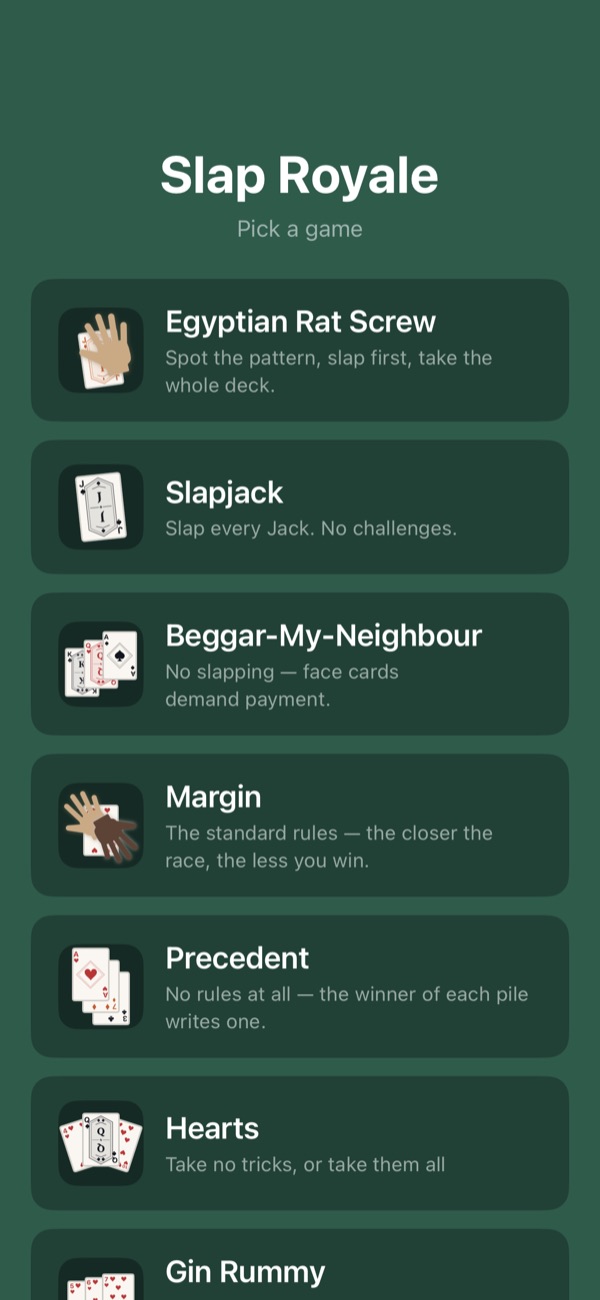
Slap Royale
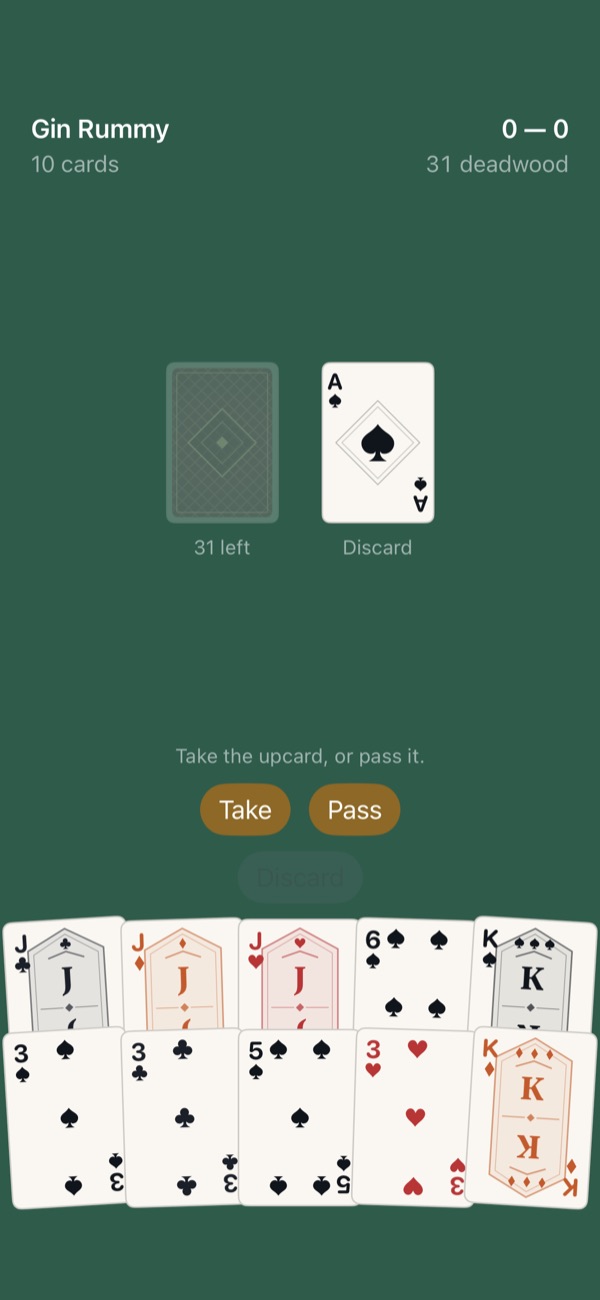
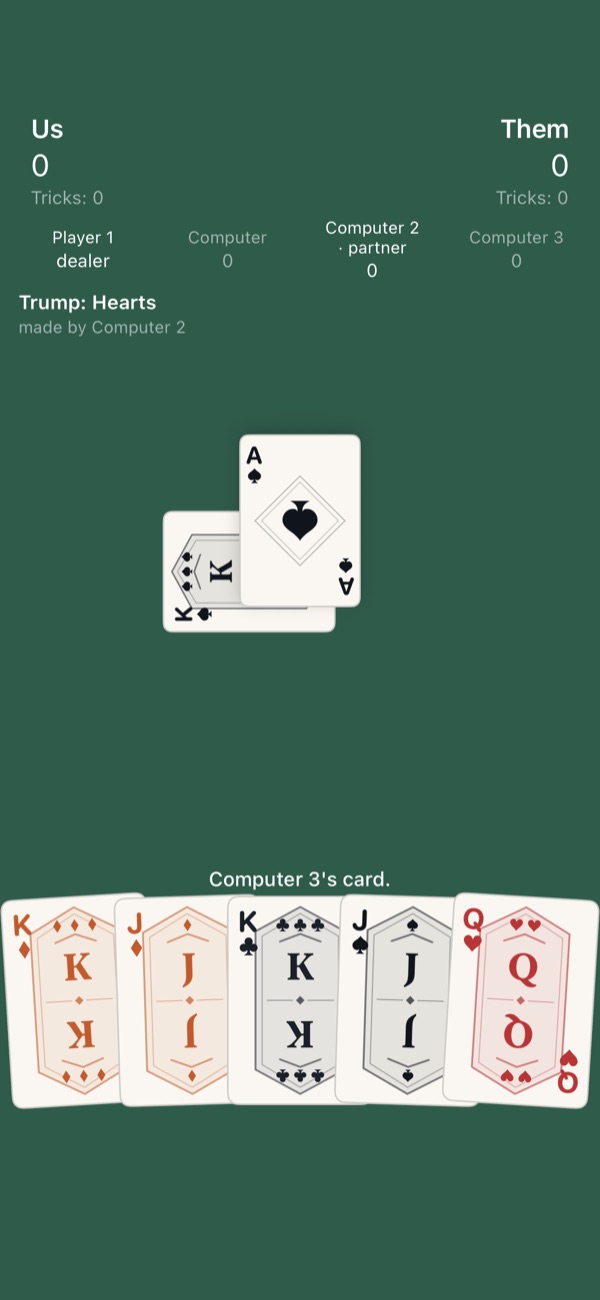
Gin Rummy, the game shelf and a Euchre trick.
We played Egyptian Rat Screw in school, and it could get aggressive. I took my fair share of slaps. This started as my way to learn augmented reality and grew into eleven games, from Egyptian Rat Screw to Euchre, with every card, sound and computer opponent drawn or written in code.
The product call
Rules before pixels. The engine and 215 rules tests came before any playable screen, and the computer players only know what a person at the table would.
The details: Slap Royale
Eleven games: Egyptian Rat Screw, Slapjack, Beggar-My-Neighbour, two new games designed for this app, Hearts, Spades, Blackout, Euchre, Gin Rummy and Rummy.
Easy, standard or hard computer players, or 2 to 4 people sharing one phone laid flat in the slap games. I’ve tested that with my own two hands, not yet with a full table.
An AR mode deals the table onto a real surface. Placement and tracking work on my phone, but slapping in AR still has a bug I haven’t pinned down.
Custom slap rules, saved as modes you can share as files. No account, no analytics, and it plays fully offline.
Under the hood
The rules suite found four real bugs in the engine the day it was written. The app now has more than 2,000 automated tests.
The core card library imports nothing, not even Foundation. Trick-taking rules are two small functions, so adding Euchre’s odd bowers needed no engine change, and Gin and Rummy share one meld engine.
Easy computer players sometimes miss a pattern instead of just reacting slower. Self-play testing caught what every single-move test missed: a Gin bot that never declared gin, so the easy computer beat the hard one.
No image files beyond the app icon, and even that is rendered from the same code that draws the in-game hand. The AR card textures are rendered at runtime from the same SwiftUI view the 2D table uses, and every sound is synthesized on the device.
Built with SwiftUI ·RealityKit ·ARKit ·AVAudioEngine ·Core Haptics ·2,000+ tests
No. 03In testingGame
Floorcraft
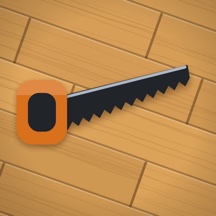
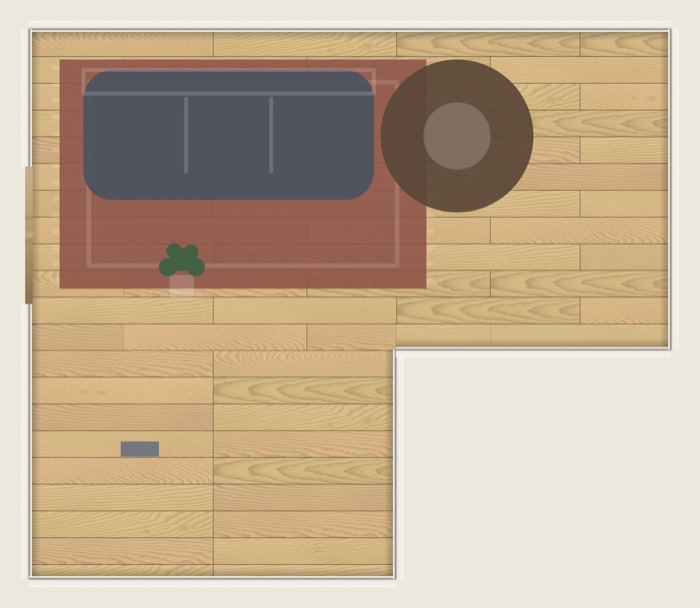
A finished room, drawn by the game’s own code.
A slow, satisfying game about laying floors: measure, cut, lay planks and grout tile, one job at a time.
The product call
Generate everything. Every plank, tile and sound is made in code, and a test fails if anyone adds an image, audio or font file to the project.
The details: Floorcraft
Click-lock planks and ceramic tile. Measure, mark and cut at the saw, including notches around floor vents and holes for pipes.
Tile work start to finish: thinset, leveling, grout and sponge. On plank jobs, foam goes down first, and quarter-round and thresholds go on last.
A 20-job career where what you earn pays for the next job’s materials and tools, plus a relaxed Zen mode.
Draw your own room. The game lays it automatically first, to prove it can be done, before it lets you play it.
Every step has a button, so you never have to drag. It has VoiceOver labels, a left-handed layout and Reduce Motion support, though I still owe it a full VoiceOver playthrough on a real phone.
Under the hood
All 23 sound cues are built at launch from noise, oscillators and filters. Tests check that every cue is audible, that loops meet cleanly at the seam, and that the output is identical on every run.
Every length is stored as a whole number of eighths of an inch, so seams and cuts come out exact, and all randomness is seeded, so a saved job resumes exactly where it left off.
Wood grain is modeled as a tree’s growth rings sliced by a board, which is what produces real flat-sawn “cathedral” patterns.
Seven simulated player personalities play whole jobs with no screen attached. They found an objective no player could ever meet, a way to get free money out of the shop, and a pay rate that rewarded skipping the foam and trim, all before a person did.
A four-chapter tutorial, three difficulty levels, and a 29-article manual where most of the numbers are pulled straight from the game engine, with a test that fails if they drift.
Built with SpriteKit ·SwiftUI ·AVAudioEngine ·Core Graphics ·Core Haptics ·440+ tests
No. 04In daily usePhotos
Shoebox
I built Shoebox to finally get the photos on my phone organized. It suggests tags and fills albums in on its own, and it never copies a photo anywhere.
The product call
Tags are only suggestions. None goes on without your OK, even one it’s sure about, and nothing ever leaves the phone.
The details: Shoebox
Nested tags: tag a photo Beach and it also shows up under Summer and Travel.
Smart albums that fill themselves from rules like untagged, a given year, or contains text.
Tidy Up finds duplicate stacks, burst frames and old screenshots, and iOS asks before anything is deleted.
Under the hood
Search works by tag, by what’s in the photo, by text in the photo, or by date.
A test fails if networking or iCloud sync code shows up in the app. The only thing that ever comes in is a full-size original that lives only in iCloud, which iOS fetches for the photo viewer the same way Photos does.
Built for a 20,000-photo library. The first scan skips a slow per-photo lookup and fills in file names later. Image analysis works from small, temporary versions of each photo, and runs on its own while the phone is charging, or right away if you tap Analyze Now.
“Crazy slow” got measured, not guessed at. On a test library of 20,000 photos, one count on the home screen took 0.92 seconds, and the screen redid it for every photo analyzed. Caching the count brought it to 0.002 seconds.
A crash at launch was traced from the crash log to the photo library scan, which was meant to run in the background but was running on the main thread. Tests now check that the background workers really are off the main thread.
Still to check Face groups and a Hidden album behind Face ID are newer, and still waiting on a real check on my phone.
Built with SwiftUI ·SwiftData ·PhotoKit ·Vision ·139 tests
No. 05In daily useWeather and health
Pressure Tracker
A migraine journal that watches the barometer. It charts the pressure forecast, logs migraines against it, learns which swings tend to come before one, and gives a heads-up before the next big change.
The product call
Never silent, never a diagnosis. If the forecast fails, you see the error instead of a blank card, and patterns come from plain statistics.
The details: Pressure Tracker
One chart from a week back to 10 days ahead: recorded pressure, forecast, alert windows and logged migraines.
Log a migraine in two taps, or add a past one by date and let the app look up the weather from history.
First patterns show up at ten migraines. At thirty, your own alert thresholds are ready to switch on with a tap, or you get a plain “no strong pressure effect found yet”.
Under the hood
A WeatherKit failure shows up as a banner with the real error, a rule I made after an earlier app’s weather card sat blank for weeks. On the first real install that banner showed a sign-in error, which turned out to be a setting I’d missed, and I fixed it the same day.
WeatherKit is the only thing the app talks to, for the forecast and the Apple Weather logo Apple requires, and a test fails if any other networking code shows up. Home coordinates are rounded before they’re stored.
Each migraine hour is compared with the same hour on each of the seven days before and after it, and a small statistical model turns that into a chance, like “pressure drops probably raise your risk (87% chance)”. In simulations at thirty migraines, my first rule told about 1 in 6 people with no real pressure effect that they had one, and the model did that 2 times in 300. Alerts keep the standard thresholds until thirty migraines, and switch over only after a tap.
A live reading from the iPhone’s own barometer sits beside the forecast. It’s converted to sea level with the barometric formula, and on my phone it matched the forecast within 0.8 hPa.
Still to check Heads-up alerts, the Apple Health sync and the history lookup pass their tests, and I’m still checking them on my phone.
Built with SwiftUI ·Swift Charts ·WeatherKit ·Core Motion ·HealthKit ·150+ tests
No. 06In testingCleaning quotes
Squeaky Clean Quote
A quoting and job-report app for house cleaners: the quote before the job, and the report after it.
The product call
No accounts, no server, no network. A test fails if networking code ever shows up, and door codes and key locations live only in the Keychain.
The details: Squeaky Clean Quote
Build a quote room by room, watch the price and breakdown update as you go, then send it as a text or a one-page PDF.
Job checklists with before and after photos, and a report PDF when the job’s done.
Short-term rental turnovers: restock, damages, lost and found, and a summary emailed to the host.
Under the hood
Tests keep door codes and key locations out of every shared quote and PDF.
Photos are re-encoded on import, which strips location and camera details. A test proves it with a photo that had them.
The quote math lives in its own package and uses decimal arithmetic, so a total never picks up a stray fraction of a cent.
Still to check It all passes its tests, and I’m still checking the photos, job reports, turnovers, email to the host and Add to Calendar on my phone.
Built with SwiftUI ·SwiftData ·Keychain ·ImageIO ·121 tests
No. 07In testingSleep
SleepMark
I fall asleep to audiobooks, so I built a small app that checks Apple Health for the moment I actually dozed off and tells me in the morning how far to rewind.
The product call
When in doubt, rewind more. Missing data rewinds the whole timer, never less, and no rewind can ever be longer than the timer.
The details: SleepMark
Tap Start at bedtime. In the morning it shows how many minutes to rewind, and when the count is small enough to be useful, how many jump-back taps that is.
An optional sleep timer that plays brown, pink, white or surf noise under the book, and a Shortcuts action for one-tap bedtime.
Forgot to tap Start? Give it your best guess at when you started and it works out the night from there.
Under the hood
The rewind math is a pure function over plain dates, and Apple Health is touched in exactly one file, so the logic is tested without a device or a night’s sleep. You count as asleep at the first stretch where the next three minutes are at least 60% asleep.
You pick your player’s jump-back step: 10, 15, 20, 30, 45, 60 or 90 seconds. The never-longer-than-the-timer rule came from a bug that only showed up on a real phone.
The background noise is generated in code, so the app ships no audio files, and the morning notification arrives quietly without ever showing a permission prompt.
Still to check The sleep timer, the Shortcuts action, the morning notification and the forgot-to-tap recovery pass their tests, and still need real nights on a phone to prove them.
Built with SwiftUI ·HealthKit ·AVFAudio ·App Intents ·78 tests
No. 08In developmentGame
Stack & Melt
A one-thumb stacking game where you drop blocks of ice onto a tower that slowly melts out from under you.
The product call
Same blocks for everyone. The Daily Challenge is seeded by the UTC date, so every player gets the same blocks that day.
The details: Stack & Melt
Drag to aim, let go to drop, and real physics settles every block.
Blocks melt a little every second and vanish when they get too small, so hesitating costs you.
Perfect drops lined up on the block below build a streak multiplier of up to 5x.
Under the hood
Melting is one swappable theme that covers shrink rate, colors, particles and share text, so the game scene never has to know which theme it’s running.
Swift’s built-in hash changes on every launch, so it couldn’t be trusted to give everyone the same day. The daily blocks come from a small seeded random number generator keyed to the date instead.
There’s no debugger attached to a test build on my phone, so the app keeps its own diagnostics: a self-trimming log that also catches Objective-C exceptions before a crash, and a stall watchdog, all readable in Settings.
Still to check My last two fixes, for a freeze on Replay and a black screen after tapping Play, still need a real check on my phone.
Built with SpriteKit ·SwiftUI ·AVFoundation ·Core Graphics ·no automated tests yet
No. 09In developmentMorse code prototype
PocketBuzz
I’ve wanted to build this for almost 20 years, since the first iPhone came out: a fun way to text someone without taking your phone out of your pocket in class. So far I’ve built the part that teaches you to read Morse by feel, plus a pad for practicing tapping it back.
The product call
Test the riskiest assumption first. Messaging waits until the denim test passes: can a person read Morse at 12 to 15 words a minute through a phone in their pocket?
The details: PocketBuzz
Trainer: lessons where you feel a letter, guess it, and level up after five in a row.
Keyer: a big tap pad that adjusts to your rhythm as you tap and decodes as you go.
Compose: type a message and feel it played back.
Under the hood
The Morse engine (encoding, timing and the tap decoder) lives in a pure Swift package that’s tested on the Mac, no simulator needed.
The decoder calibrates from your own taps with a moving average instead of fixed thresholds, so it keeps up when your speed drifts mid-message.
Still to check I still need to check how the buzzes actually feel on my phone.
Built with SwiftUI ·Core Haptics ·Swift Testing ·36 tests
Say hello.
If you’re building with AI tools too, especially as a non-engineer, I’d like to hear what tripped you up early and what difference it’s made for you.

 SleepMark
 Pressure Tracker
 Shoebox
 Slap Royale
 PocketBuzz
 Squeaky Clean Quote